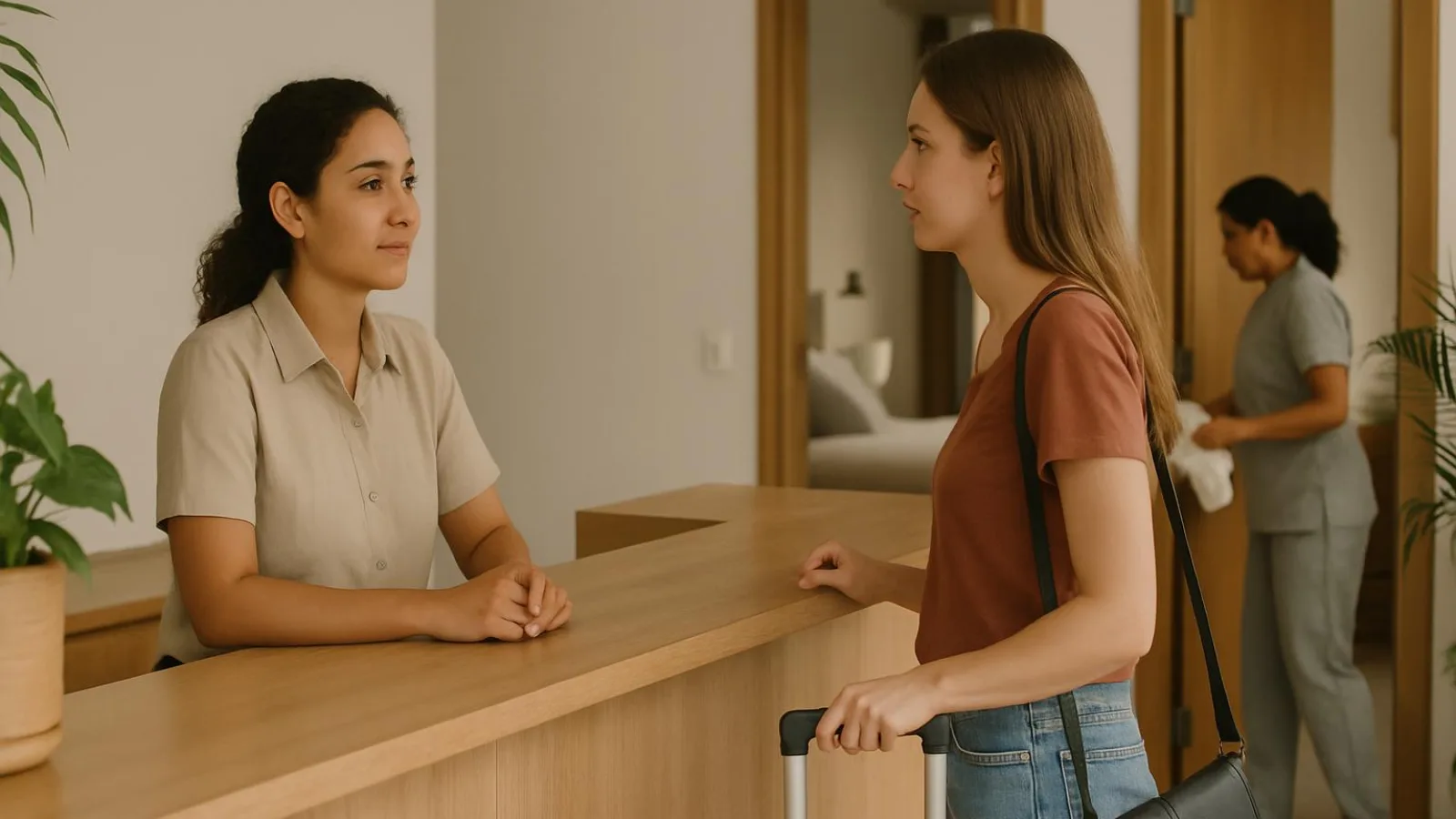


Start with one rule: never sell the same night twice
Before you confirm availability, check the physical unit, the nights already committed and the availability still published on each channel. Two listings for unit 402 do not mean two apartments. They sell the same space.
Separate three situations before you intervene:
- Accidental double booking: two separate reservations commit the same unit for overlapping nights.
- Room-type overbooking: reservations exceed the deliverable units in a category, even if you have not assigned individual apartments yet.
- Duplicate record: the same reservation appears twice. Check its source and identifiers before counting it as two commitments.
A departure and an arrival on the same day are not necessarily a conflict. In an illustrative example, unit 402 can accommodate the next guest after the previous guest leaves, provided the agreed timings allow for preparation. Sellable inventory and readiness are different checks: housekeeping confirms that a unit is ready, not that it has no booking commitments.
Use this checklist across ownership, management, front desk and housekeeping:
- Identify the physical space behind each listing.
- Compare the nights covered by active reservations.
- Check how many units you can deliver in each category.
- Check where availability is still published.
- Assign someone to verify any discrepancy.
Tip: Count spaces you can deliver, not listings or calendar colors. This check reduces mistakes; it does not guarantee zero risk.
Before selling, answer: What can you deliver, where is it still on sale, and who verifies it?
Trace how double bookings actually happen
Receiving a reservation does not mean every other channel has stopped selling those nights. Trace four separate events: reservation received, inventory updated, change sent and availability verified. You need evidence for each one, not just a booking notification.
1. Follow the reservation through the system
- Find the incoming booking. Check its reservation ID, channel, nights and creation time. Keep that time separate from when the email or notification arrived.
- Check the inventory update. Establish when the physical unit became occupied or the room-type inventory decreased in your main record. A direct booking left in a chat does not update that record.
- Find the outgoing change. Review the transmission history for its destination, timestamp and status, such as pending, sent or failed, using your provider's terminology. Preserve any available error message.
- Verify the outcome. Check availability on each affected channel and record the observation time and time zone. An acknowledgement alone does not prove the nights are no longer for sale.
Worked example: two bookings for unit 402
In this illustrative sequence, channel A confirms unit 402. Your main record receives the booking and sends a closure to channel B. Before B reflects that closure, it confirms another booking for the same nights. You now have two separate reservations for one unit.
Compare both confirmation times with the inventory update, outgoing closure and observed result on B. Do not assume a universal synchronization interval. Check the provider's documentation and logs. A connection does not eliminate every possibility of simultaneous sales.
Mistakes to trace
- Local block: dates were closed on one channel but remained open elsewhere.
- Duplicate listing or unmapped unit: a listing kept selling without reducing the correct inventory.
- Cancellation reopening: nights went back on sale while still committed or blocked.
- Date change: the old nights were released without protecting the new ones.
- Unrecorded direct booking: you committed inventory that channels were still offering.
Tip: Find the first point where the expected state stops matching the evidence. A notification tells you something happened. Verified inventory tells you what is available. Investigate the booking's path rather than blaming a guest for buying nights shown as available.
Choose where availability changes begin
Choose a primary operating record: the place your team checks before committing inventory and records each authorised change. It can be paper, a shared spreadsheet or a system. A central record does not automatically distribute availability to your channels.
Name its owner, their backup and the people allowed to edit it. Your receptionist may record requests without permission to approve exceptions. The backup needs access and visibility of unresolved changes, rather than relying on someone else's password.
Compare recordkeeping with distribution
| Option | Best for | Strengths | Watch-outs |
|---|---|---|---|
| Paper | Operations able to check every channel manually | Simple reference with clear ownership | Sends no updates; requires channel-by-channel changes and version control |
| Shared spreadsheet | Teams needing a common operating record | Shared visibility and organised follow-up | Does not update channels by itself; control editing permissions and simultaneous changes |
| iCal calendars | Connections where calendar-level exchange is sufficient | Can exchange events representing occupancy or blocks | Check direction, fields and refresh behaviour; do not assume rates or every modification transfer |
| PMS with channel manager | Operations needing coordinated records and distribution | Can centralise reservations and send availability through supported integrations | Verify supported channels, configuration, permissions and error handling |
1. Set authority without discarding evidence
Document where manual changes must begin. Reservations made on a channel still originate there: define how they enter your primary record and who checks that they arrived. Keep original booking references, statuses and messages. One source of authority does not mean one surviving source of evidence.
2. Check what each connection actually carries
Read the provider's documentation. Confirm whether the connection receives or sends reservations, modifications, cancellations, availability, rates or restrictions. Check whether it works in both directions, which settings require activation and where failures appear.
Do not infer these capabilities from a connected status. A calendar import and an inventory distribution connection do different jobs. Neither label alone proves that a particular change reached a particular channel.
Tip: Choose the setup whose changes you can verify from start to finish, not the one displaying the most calendars.
3. Match channel coverage to your control capacity
Before keeping a channel open, ask: can you verify its updates? Is there an owner and a backup? Can you identify sales that have not reached the primary record?
If you cannot answer, reduce active channels or temporarily close affected inventory using available controls. Confirm the closure on each channel: requesting a pause is not proof that it took effect. Record what is paused and who can authorise reopening once consistency has been verified.
Map units, room types and listings before selling
A listing is not an extra physical unit. Before opening sales, connect every published product to the space it consumes. A familiar listing name helps you recognise it, but does not prove that its inventory mapping works.
1. Identify the inventory you actually have
- Give each physical unit a stable identifier, such as 402 or 403. Do not rely solely on marketing names that may change.
- Establish whether you sell individual units or room types. A unit booking commits a specific space. A room-type booking consumes availability from a pool, with physical assignment potentially happening later.
- For pooled inventory, document which units belong to each room type and how bookings reduce availability. Do not force fixed assignments onto an operation that does not need them.
2. Connect listings, identifiers and dependencies
- Collect every listing ID, including old, hidden or apparently inactive listings. Check their actual status in each channel.
- Record the main inventory source for each product and every connection that can update it. Look for parallel connections writing to the same inventory.
- Document shared inventory. Selling the 402 plus 403 combo must consume both units. Selling either component must make the combo unavailable for the same nights, through a configuration you have verified.
Use this mapping template as a starting point. All entries below are fictional examples. Replace them with your actual identifiers and add a row for every listing and channel.
| Unit or product | Channel and listing ID | Main source | Dependency | Verification status |
|---|---|---|---|---|
| 402 | Channel A: EX-402 | Central register: U402 | Shares inventory with combo | Pending: combo closure |
| 403 | Channel A: EX-403 | Central register: U403 | Shares inventory with combo | Pending: combo closure |
| 402 + 403 combo | Channel B: EX-COMBO | Central register: C402403 | Consumes 402 and 403 | Pending: both directions |
3. Test the connection, not the label
- Check provider documentation and channel rules before choosing a permitted blocking or closure test. Do not create fake bookings.
- Verify that closing a component affects its listings and the combo. Then use a permitted test to check the reverse direction: a commitment for the combo must consume both units. Closing only the combo listing does not itself commit its components.
- Save the listing IDs, tested dates, time, observed result and person responsible. Inspect published availability rather than relying on a successful send notification.
- Restore only the inventory that should be available, then verify the result.
Tip: If you cannot demonstrate that the combo dependency works in both directions, keep that product off sale until you resolve it.
Before opening each product for sale:
- Physical unit or room type identified, without duplicated capacity.
- Old listings and parallel connections reviewed.
- Dependencies tested and evidence saved.
- Owner: [name]. Verification still pending: [details].
Control direct bookings, changes, blocks and cancellations
A conversation is not an inventory record. Every change needs an availability check, an entry in your primary record, distribution and verification on affected channels. Name the person who can approve exceptions and their backup. Attach that approval to the change rather than leaving it in a separate conversation.
1. Record direct bookings before making a commitment
- Check the requested nights and unit or room type against your primary record. Include blocks and unresolved changes.
- Separate the statuses. An inquiry does not confirm accommodation. A provisional hold needs documented release conditions. A confirmed booking must meet your verified booking policy. Do not assume a message has reserved inventory.
- Record the transaction and its status before committing availability. If you use a hold, check whether it removes inventory from sale and when your policy allows its release.
- Distribute the availability change and inspect the result on every affected channel. Record who checked, when and what they observed.
2. Secure new nights before releasing existing ones
- For an extension or date change, check every additional night before accepting. Keep the existing stay covered while you verify the change.
- For a unit move, check the destination and record the new assignment before releasing the original unit, following the workflow your system supports.
- Update the primary record, distribute the change and verify both added and released nights. Check that released inventory is actually suitable for sale.
Illustrative example: when moving a booking from unit 402 to unit 403, do not release 402 while the replacement assignment remains unconfirmed.
3. Block maintenance and owner stays explicitly
- Identify the unit, affected nights, reason and person authorized to approve reopening.
- Enter the block in your primary record and verify its effect on affected channels.
- Before removing it, confirm that the reason for the block has been resolved. Housekeeping confirms readiness. It does not independently decide commercial availability.
4. Cancel without reopening blindly
- Verify the cancellation and applicable conditions before changing the booking status.
- Record the cancellation, then check for maintenance blocks, owner stays or other commitments that still apply.
- Inspect the resulting availability on each channel. A canceled booking does not automatically make a unit sellable.
Tip: If a connection cannot carry the required change, keep the task open. Restrict affected sales where possible, assign an owner and verify any permitted manual adjustment.
Avoid making scattered channel edits without recording them. Use this closing checklist for each transaction:
- Status and authorization recorded.
- New nights protected and released nights checked.
- Result verified on each affected channel.
- Any exception or failure has an owner and a next review.
Run a daily availability check with evidence
Compare your main record with what each channel shows. Check at shift opening, after critical changes and during handover. This is an operating routine you set with your team, not a universal checking frequency imposed by channels.
| When | Check | Owner | Evidence | Escalation |
|---|---|---|---|---|
| Shift opening | Upcoming arrivals, blocks and availability | Incoming receptionist | Dated record and source references | Report discrepancies to the manager |
| After a critical change | Changed nights and affected channels | Person recording the change | Send status and observed result | Refer failures to the distribution lead |
| Handover | Open items and affected future dates | Outgoing and incoming staff | Owner and next review | Escalate unresolved items to the shift lead |
1. Compare reservations, not just totals
- Match channel reservation IDs against your main record. Compare arrival and departure dates, room type and assigned unit where applicable. Matching totals can conceal different reservations.
- Cross-check blocks and cancellations against available nights.
- Include upcoming arrivals and every future date affected by changes, not just today's arrivals.
2. Check inventory and public offers separately
- First check the listing's inventory in the channel extranet for the affected nights. Review applicable restrictions too.
- Where relevant, check the public offer using specified arrival and departure dates and occupancy. Record the search conditions and the result you saw.
- Save the two observations separately, with the date, time and time zone of each check. Add the send status and a reference to the relevant record or screenshot, without unnecessary personal information.
Tip: Sent does not mean closed. An acknowledgement confirms receipt, not an inventory update. Finding no public offer does not prove that inventory is closed either: length-of-stay restrictions, occupancy or other conditions may explain the result.
If results disagree, review inventory and restrictions with the channel or provider. Illustrative example: you blocked unit 402, but the extranet still shows available inventory. Keep the discrepancy open even if the public search returns no offer.
Copy this row for each check. If the checks happen at different times, label both timestamps in the same cell.
| Channel | Listing ID | Arrival and departure | Occupancy searched | Extranet inventory | Public result | Date, time and time zone | Owner | Open item |
|---|---|---|---|---|---|---|---|---|
| [channel] | [ID] | [arrival; departure] | [occupancy] | [observation] | [observation or not applicable] | [extranet: date/time/zone; public: date/time/zone] | [name] | [discrepancy or none] |
3. Give every open item an owner
When you find a mismatch, restrict affected sales where possible and verify that restriction. Assign someone to investigate and agree when to check again. If you cannot verify closure, escalate the uncertainty.
- Reservation IDs, dates, room types and relevant assignments compared.
- Blocks, cancellations and affected future dates reviewed.
- Extranet inventory and public search recorded separately.
- Evidence and send status saved.
- Owner: [name]. Open item: [discrepancy or none].
- Containment verified: [result]. Next review: [date, time and time zone].
Work through two cases: sync delay and a mis-mapped combo
Case 1: B confirms before reflecting the closure triggered by A
Starting point, illustrative example: channel A confirms a booking for 402. The main record deducts those nights from inventory and sends a closure to channel B. Before reflecting that closure, B confirms another booking for the same unit and nights. This sequence illustrates a sync delay. In a real incident, you need evidence to establish it.
- Separate the events. Check booking references, statuses and nights. Distinguish each booking's creation time on its channel, receipt in the main record, inventory update, closure submission and the time availability was observed on B. Record the time zone. Mark missing evidence as pending rather than filling gaps with assumptions. An acknowledgement does not prove that sales have closed.
- Decide what is established. Are these separate, confirmed bookings? Do they commit the same physical 402 for overlapping nights? Compare submission and processing records too. If you cannot establish where the delay occurred, leave the cause pending even when the booking conflict is confirmed.
- Contain further sales. Restrict sales of the affected inventory and verify the result on the relevant channels. Assign an owner and preserve the evidence. Do not cancel blindly or automatically displace the guest who booked later.
- Move to recovery. If the commitments are incompatible, follow the next section's recovery protocol. If one record is only a request, do not count it as a second confirmed booking.
Expected outcome: the conflict is defined, further sales are contained and someone owns guest support. Preventive control: verify published availability, not just submission, and escalate mismatches without assuming a connection prevents simultaneous sales.
Tip: separate what happened from what you can prove. A pending diagnosis is no reason to delay containment.
Case 2: 402 is booked, but the combo remains open
Starting point, illustrative example: 402 is booked and 403 is free. The listing selling both together remains available for those nights. Nobody has booked the combo. This is a vulnerability, not a confirmed overbooking.
- Check the dependency. Inspect the combo and component identifiers. Does the mapping consume both units' availability, or merely group their names?
- Close the affected product. Block the combo for those nights and verify the published closure. Keep 403 available separately if you can sell it without conflict.
- Correct and test the mapping. Use provider-supported tests, without fake bookings, to establish that occupying either component prevents a combo sale.
- Verify the reverse direction. Check that a combo commitment consumes availability for both 402 and 403. If you cannot establish this, keep the combo off sale and escalate the configuration issue to the provider.
Expected outcome and preventive control: both directions of the dependency are verified, with evidence retained before reopening sales. If the combo has already sold, check the commitments and activate recovery instead of treating the problem as only a mapping defect.
If you are overbooked, contain the issue and help the guest
1. Confirm the conflict and protect inventory
Compare booking references, units or room types, and occupied nights. Are these separate bookings or duplicate records of one booking? Do the nights actually overlap? Do not cancel a booking to fix a duplicate record.
Once you confirm incompatible commitments, restrict sales of the affected inventory and check the result on each involved channel. Sending a block does not prove the listing has stopped selling. Preserve the evidence and appoint one case owner, with cover for the next shift.
2. Check the terms before choosing a response
Review the current booking terms and the channel's overbooking procedure. Contact support and record the case reference, guidance received, and outstanding questions. Do not promise refunds, compensation, or turnaround times you have not verified.
Do not automatically relocate whoever booked later or paid less. Consider both parties' needs, the available alternatives, and the applicable terms. Unilateral cancellation is not the first step.
If you have no verified alternative yet, acknowledge the conflict without presenting a solution as confirmed. Agree on the next update and use a short message like this:
Subject: Important update about booking [reference]

Hello [name],
We have identified an availability conflict affecting your booking. We are sorry for this error. We do not yet have a verified alternative and are checking the options.

Your case contact is [name and contact details]. As agreed, we will update you on [date and time, time zone] through [channel], even if some details remain unresolved.
3. Verify the alternative before offering it
Check directly with whoever controls the alternative accommodation:
- Availability for every affected night and readiness to receive the guest.
- Location, capacity, beds, and relevant amenities.
- Required accessibility features, without assuming an equivalent room type guarantees them.
- Arrival arrangements, total price, cost differences, and who would cover each item.
Can the alternative meet the guest's needs? If you cannot verify it, describe it as an option under investigation, not a confirmed relocation. If no suitable option exists, escalate to the authorized manager and channel support. Keep the guest informed without inventing a solution.
Tip: Do not replace an overbooking with another unverified promise. Confirm the alternative first, then agree on the solution.
4. Agree on the solution and complete the handover
Take responsibility for the operational failure without blaming the guest or guessing at the cause. Explain the proposal and record explicit acceptance or objections. Silence is not acceptance.
After acceptance, confirm that the alternative booking is secured, with a reference and documented terms. Assign the case owner to verify directly that the receiving property can welcome the guest. Send arrival and access instructions, and check that the guest received them. If transport is agreed, confirm its coordinator, pickup point, destination, and agreed costs. Sending an address does not complete a relocation.
For operations in Colombia, check with the Superintendencia de Industria y Comercio (SIC) which consumer information, complaint handling, and personal data obligations apply. Before transferring guest information to another property, verify the applicable basis for sharing it. Send only what is necessary through an appropriate channel.
Illustrative case: an imminent arrival on the night shift
The night receptionist finds two separate bookings for unit 402 with overlapping nights. One guest is about to arrive. The receptionist verifies containment and contacts support. Unit 403 appears vacant but lacks the requested accessibility features, so it is not offered as equivalent. The receptionist sends the initial notice and agrees on an update. Once another option is verified, the receptionist requests acceptance, secures the booking, and checks arrival instructions and any agreed transport with the receiving property.
Use this second template only after verifying the proposal. Keep internal diagnoses, internal costs, and support discussions out of the guest message.
Subject: Proposed arrangement for booking [reference]

Hello [name],
We cannot provide your booked accommodation as confirmed. We are sorry for this error.

We propose [verified alternative] at [location], with [capacity and relevant features], for [dates]. The proposed terms are [verified conditions and costs].

Do you accept this option? We will discuss any difficulties before agreeing on a change. Once you accept, we will secure the alternative booking and send arrival instructions and transport details, if transport is agreed.

As agreed, we will update you on [date and time, time zone] through [channel]. Your contact is [name and contact details].
Record incidents and measure whether controls work
Give each event an internal reference and retain evidence that lets you reconstruct it. An incident is not an affected booking: one overbooking event can affect several reservations. A near miss is a failure caught before incompatible bookings are confirmed. Count it separately.
Copyable basic register
These rows are illustrative. Listed nights are occupied nights, not departure dates. Include the year in your operational record. Link both tables by reference.
| Reference | Unit or room type | Affected nights | Channels | Detected, Colombia time |
|---|---|---|---|---|
| INC-01 | 402 | May 12 and 13 | A and direct | May 12, 09:10 |
| NEAR-02 | 402 + 403 combo | May 15 | B | May 14, 11:20 |
| DIFF-03 | Studio | May 18 | A | May 16, 08:40 |
Copyable follow-up register
Bracketed fields need completing. They do not establish that an action was performed.
| Reference | Cause and containment | Evidence | Owner | Next review | Closure verification |
|---|---|---|---|---|---|
| INC-01 | Cause pending; affected sales paused and checked | [Attach verification] | Front desk | [Date, time and zone] | Pending |
| NEAR-02 | Missing dependency, verified; combo closed and checked | [Attach test evidence] | Manager | [Date, time and zone] | Dependency test pending |
| DIFF-03 | Cause pending; affected inventory restricted and checked | [Attach comparison] | Reservations | [Date, time and zone] | Comparison pending |
Link booking references and supporting evidence with restricted access. Avoid copying identity documents, phone numbers or entire conversations. Check applicable personal data handling, retention and access criteria with Colombia’s Superintendencia de Industria y Comercio.
Metrics to review with your team
- Confirmed incidents and bookings: report two separate counts: confirmed incidents detected during the period, and bookings created and confirmed during that period. State the start and end dates, properties and channels included. Do not divide these counts: incidents may involve bookings created earlier. Count affected bookings and near misses separately.
- Open discrepancies: count unresolved differences at the reporting cutoff, each with an owner and next review.
- Time to containment: subtract detection time from the time you verified containment. Retain dates and time zones. Sending a closure does not prove it was published.
- Completed / scheduled checks: count only checks supported by evidence for the same period. Illustrative calculation: 18 documented checks out of 20 scheduled = 90% completion. This is not an industry benchmark.
- Documented direct resolution cost: add expenses supported by receipts or other records. Keep estimates and pending amounts separate from paid expenses.
Tip: Do not close the record just because the guest has somewhere to stay. Require verifiable evidence of both the guest solution and the inventory correction.
One favourable result does not establish that risk has disappeared. Open discrepancies and missing checks still require investigation.
Fix the mistakes that bring double bookings back
During a connection outage, the dangerous mistake is continuing to sell as though the last visible calendar were current. A previous state is not proof of current availability. Separate what you have checked from what still needs verification.
1. Contain the outage without multiplying edits
- Retrieve the last verified state. Preserve its timestamp, time zone, known reservations and blocks. Use it as a starting point, not permission to sell.
- Assign one incident owner and restrict editing during the investigation. Record authorized exceptions so two people do not attempt conflicting fixes in separate systems.
- Control direct booking commitments. Check the nights you can deliver before confirming anything. If you cannot establish availability, do not promise it. Log changes made during the outage for later reconciliation.
- Pause affected sales wherever possible. Verify the result on each channel: the pause instruction itself may fail to propagate. Record and escalate any exposure you cannot verify as contained.
- Contact the provider with identifiers, affected dates, statuses, timestamps, and expected versus observed results. Assign someone to follow up and agree on the next review.
- Once the connection returns, reconcile commitments logged during the outage against each channel’s reservations, modifications and blocks before reopening inventory.
Tip: a restored connection is not reconciled inventory. Verify the result, not just the disappearance of an error message.
Track three separate recovery states
- Verified containment: exposed inventory is identified and applied restrictions are checked. Any unverified pause remains an open risk.
- Guest recovery resolved: the agreed solution for affected reservations is documented. Relocating a guest does not prove the technical failure is fixed.
- Permanent correction demonstrated: unit and listing mapping is checked, and the closure and reopening flow is tested through permitted changes, without fake bookings.
If the cause remains unproven, keep its investigation open with an owner, evidence and an agreed next review. Do not close the technical incident simply because the guest has somewhere to stay. A successful workaround and a verified repair are different outcomes.
Put the checklist to work and verify every closure
Use this sheet as a control summary, not another set of operating instructions. Keep prevention, containment and recovery status together. A shared spreadsheet or a manual log works, provided each outstanding item has an owner and evidence that the team can find.
Control sheet to copy
Under Status, enter pending, in progress or verified. For containment and recovery, you can also enter not applicable, with a reason, when there is no active incident. Do not use that option to hide an unfinished check.
| Control | Status | Owner | Evidence | Next review |
|---|---|---|---|---|
| Prevention: inventory and listing dependencies verified | [status] | [name] | [reference, time and time zone] | [agreed checkpoint] |
| Prevention: main record, editing permissions and backup owner defined | [status] | [name] | [reference] | [agreed checkpoint] |
| Prevention: changes tested and published availability checked | [status] | [name] | [observed result and time] | [agreed checkpoint] |
| Prevention: daily check recorded and outstanding items assigned | [status] | [name] | [check record] | [agreed checkpoint] |
| Containment: affected sales restricted and restriction verified | [status or not applicable with reason] | [name] | [verification or reason] | [agreed checkpoint] |
| Recovery: agreed guest solution documented and follow-up assigned | [status or not applicable with reason] | [name] | [reference or reason] | [agreed checkpoint] |
| Incident closure: cause corrected and inventory flow verified | [status or not applicable with reason] | [name] | [test evidence or reason] | [agreed checkpoint] |
Tip: Mark a control verified because you observed the result, not because someone sent the change.
Keep the sheet useful
- Complete each row with evidence the team can consult, without copying unnecessary personal information.
- If a check fails, keep the item open with an owner and an agreed next review.
- When reviewing incidents with the team, update the evidence of correction, not just the guest resolution.
Work through the prevention controls and activate containment and recovery controls when needed. The sheet should show reality, not look finished. Missing evidence means the control remains pending. With no active incident, record why an incident control does not apply and keep preventive checks visible.
Practical operations guidance, not legal or tax advice.