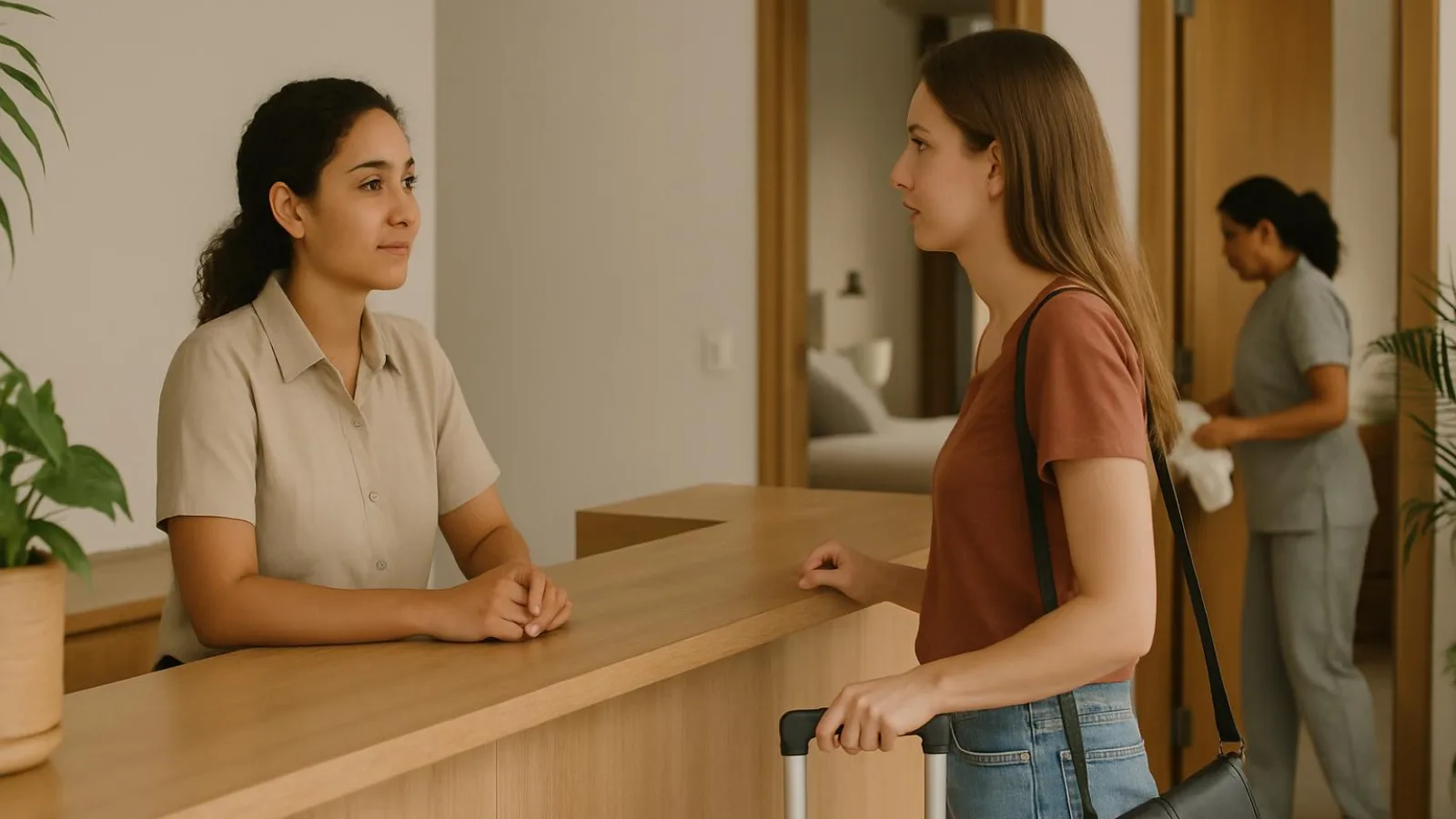
Tell guests when you confirm the problem
Once you confirm a problem affecting the stay, tell the guest before they encounter it, whenever possible. Do not wait for every detail. Separate verified facts, unanswered questions and the immediate impact on their plans.
Example: apartment 402 is not ready
In this illustrative case, arrival is scheduled for 15:00. At 14:20, the housekeeping lead confirms that inspection is still incomplete. You know the apartment has not been released. You do not yet know when it will be ready. The guest needs to know that access at the scheduled time is at risk.
Decision: if the confirmed problem could change the guest’s arrival or use of a service, send the warning. Do not wait for a completion estimate nobody can verify.
Tip: You can commit to the next update before you can commit to a solution time.
Reception can promise an update at 14:45 and send it even if nothing has changed. Early notice does not guarantee acceptance, but it gives the guest a chance to adjust their plans.
Build the message around four points: what happened, what it means for the guest, what you are doing and when you will update them. The copyable messages in this guide follow that structure.
Check the impact and assign an owner
Before writing, establish what changes for the guest and who will handle it. You do not need a complete solution to acknowledge a confirmed disruption. You do need to separate verified facts from details still being checked.
1. Verify the problem with the right person
Speak to the person who can confirm the situation: the housekeeping lead for an outstanding inspection, maintenance for a service failure or reception for an access problem. Record what was checked, when it was checked and what remains unknown. Do not turn a suspected cause into a guest-facing explanation.
If you suspect a hazard, prioritize the property's appropriate emergency procedure over messaging or troubleshooting. Check applicable safety guidance with the alcaldía and the competent local authority.
2. Identify affected guests and immediate needs
Check which bookings and promised services are affected. Use these questions to set priorities:
- Is the guest arriving shortly or already in the unit?
- Is the unit still usable for their stay?
- Are there mobility needs you need to accommodate?
- Does a work meeting or another commitment make an alternative urgent?
Ask only for information needed to arrange a response. Knowing that the guest needs a video call is useful. Knowing what the meeting is about is not.
3. Check alternatives and approval authority
Verify availability, access and conditions before offering another unit, a waiting area or luggage assistance. Identify who can approve changes, spending or compensation. An internal possibility is not yet an offer. If approval is pending, acknowledge the known impact without presenting that option as confirmed.
4. Assign communication ownership and backup
Name one person to keep the guest informed and a backup. Establish who will obtain progress reports and who will send the next update if the shift changes.
In an illustrative example, maintenance investigates the failure in unit 305 while reception updates the guest. Fixing the problem and keeping the guest informed are separate responsibilities.
Tip: Assign the next contact to a named person, not just to “reception.” A department name does not ensure someone remembers to write.
Before sending anything, remove blame, internal diagnoses and staff notes. The guest needs facts, practical consequences and follow-through, not the team's internal discussion.
Build the message in four parts
Put the problem near the beginning. Your guest should not have to read through a paragraph of pleasantries to discover that a service is unavailable. Apologise briefly, then give them four things: what happened, what it means for them, what you are doing and when they will hear from you again.
1. Put the facts in order
- State the confirmed problem. Leave out blame and internal diagnostic notes.
- Explain the practical impact. Name the activity or service the guest cannot use, rather than describing only the fault.
- Give the confirmed action and an alternative that is actually available, if you have one.
- Set a next-update time you can meet and identify who will send it.
The table below uses an illustrative Wi-Fi outage. Verify the actions and alternatives before using this wording with a guest.
| Message component | Verified input | Guest-facing wording |
|---|---|---|
| What happened | The unit's Wi-Fi has no internet connection | The Wi-Fi in your unit is currently offline. |
| What it means for you | The guest cannot use that connection for a video call | You won't be able to use that connection for your video call while the outage continues. |
| What we are doing | Support is investigating; a workspace with a tested connection is available | Support is investigating. You can use the available workspace, where we have tested the connection. |
| When you will hear next | Reception can provide an update at 16:00 | I will message you at 16:00, even if the issue is not yet fixed. |
2. Adapt this master message
Replace the fields and remove any option you have not confirmed. A possible workaround is not yet an offer you can make.
Subject: Update about [affected service]

Hi [guest name],

[Affected service] is experiencing [confirmed problem]. I'm sorry for the disruption. This means [practical impact on your stay].

We are [confirmed action]. We can offer [available option and relevant conditions]. Please let me know whether this works for you.

I will update you on [date] at [time], even if the issue is still unresolved, with the current status and next step.

[Sender name]
[Role or team]
3. Separate an estimate from a commitment
An update time is not a repair guarantee. You can commit to communicating before you know when service will return. A technician's visit window is not a completion estimate either.
If you have a provisional estimate, label it plainly: “Our current estimate is that service may return by [time], but this is not confirmed. I will update you at [update time].” Without a verified basis for an estimate, say: “We do not yet have a confirmed restoration time.”
Tip: Promise the update you control, not an outcome that still depends on an assessment.
Before sending, read those four parts on their own. If the guest would still need to ask, “What does that mean for my stay?”, explain the impact more clearly. Remove technical details that do not change their choices.
When the unit is late, make the wait manageable
Do not turn housekeeping progress into a promised release time. Release the unit only after inspection, not because it looks almost finished. While the guest waits, give them enough information to decide where to go and what to do with their luggage.
1. Send the facts you have
Illustrative example: apartment 402 has a scheduled arrival of 15:00. At 14:20, the housekeeping lead confirms that inspection is incomplete. The receptionist has no verified ready time and promises a status update at 14:45.
Subject: Update on your arrival at apartment 402
Hi [name], the inspection of apartment 402 is still pending, so we cannot yet confirm that it will be available for your 15:00 arrival. I’m sorry for the disruption.
We are coordinating the final inspection. I will message you at 14:45 with an update, even if a ready time is not yet confirmed.
[receptionist’s name]
The guest replies: “I’ll have my suitcases. Can I leave them somewhere while I wait?” Before offering storage, check that a suitable location exists, who will receive the bags and how the guest will collect them. Check any waiting space separately: it must actually be available and suitable for this guest. If neither option exists, say so rather than sending them to reception to discover that themselves.
2. Update them even when nothing is ready
In this example, the unit is still awaiting release at 14:45. Say that clearly instead of replacing the missing answer with an optimistic guess:
Subject: Apartment 402 arrival update
Hi [name], the inspection is still pending, and I do not yet have a confirmed ready time. I’m sorry I cannot confirm it yet.
About your luggage: [verified answer and any conditions]. You can [available option] or keep your arrival plans; please tell me your preference so reception can coordinate with you.
I will update you again at [agreed time].
[receptionist’s name]
3. Adapt the template and arrange the handoff
Use this base message, keeping only the timing sentence that applies:
Subject: Availability update for [unit]
Hi [name], [confirmed situation] affects your planned arrival at [time]. I’m sorry for the inconvenience.
We are [confirmed action].
[If verified: The unit will be available at [confirmed time].]
[If unknown: We do not yet have a confirmed ready time.]
We can offer [verified alternative and conditions]. Would you prefer this or [another real option]?
I will update you here at [time].
[name and reception team]
- Confirm inspection is complete before authorising access.
- Record the guest’s chosen arrangement. Silence is not agreement.
- Give reception the unit status, luggage arrangements and the name of whoever owns the next update.
- Once the unit is released, confirm availability and send revised arrival instructions. Do not leave the guest piecing together conflicting messages.
When an amenity fails, explain the practical impact
Do not stop at naming the fault. Explain what the guest cannot use and which alternative you have checked. A technician’s visit window is not a repair completion estimate.
1. Check the scope and the immediate need
Illustrative example: the guest in apartment 305 reports that the Wi-Fi is down just before a video call. Reception verifies the failure in that apartment but has not established whether other units are affected.
- Acknowledge the report: “Sorry about the disruption. We’re checking the connection in 305.”
- Establish what is failing and where. Do not announce a property-wide outage without evidence.
- Ask what matters: “When do you need to get online?” You do not need the meeting topic or the names of the participants.
- Check technician availability. Describe a confirmed visit window as a visit, not a promise that service will be restored then.
- Verify an alternative before offering it. In this example, reception tests the connection in an available workspace and checks that it offers privacy for the call. Do not suggest an unfamiliar, unverified network.
2. Send a message the guest can act on
Adapt this template. Remove any option you have not confirmed.
Subject: [Service] disruption in [unit]

Hi [name],
We have confirmed [fault and verified scope]. This means [practical impact]. I’m sorry for the disruption.

[Confirmed action]. The technician is expected during [confirmed visit window]. We do not yet have a confirmed repair completion time.

In the meantime, [verified alternative and conditions] is available. Would that work for you?

I’ll update you at [time], even if the issue is still unresolved.

To arrange the inspection, what access time works for you? Are there any privacy arrangements we should follow?

[Name and role]
Arrange access through your property’s procedure. A fault report is not permission to enter. Ask only for details needed to coordinate the visit, not personal reasons or a full account of the guest’s schedule.
3. Adapt the wording to the actual impact
For hot water: “We’ve confirmed that the shower has no hot water. We’re arranging an inspection. Do you need to shower before [time]? We can offer [verified option].” Check access and privacy before offering another shower.
For air conditioning: “The air conditioner is not cooling the room. Is the heat preventing you from resting there? We have [verified alternative] available.” Do not ask guests to open equipment or attempt repairs.
4. Report delays and test the outcome
If the technician misses the visit window, say: “The technician did not arrive during the expected window. We do not yet have a confirmed replacement time. [Alternative] remains available. I’ll update you at [time].”
After the work, test the service. For Wi-Fi, check an actual connection, not just whether the network name appears. Then ask whether the guest can use it for their intended purpose. A successful technical test does not, by itself, establish that the guest’s need is resolved.
If you need to relocate a guest, show the differences
Offer a specific alternative, not a promise that it will be “the same or better.” Before proposing a move, check what the guest gains and loses. An available unit is not necessarily a suitable unit.
1. Check the alternative before offering it
- Confirm the bed configuration and the capacity needed for the booking.
- Check the location, entrance, stairs or lift, and route to the unit. Ask whether the access works for the guest without requesting medical details.
- Compare relevant amenities: kitchen, hot water, air conditioning, internet access and anything specifically promised.
- Verify that the unit has passed inspection and is ready. Confirm who can help with luggage and when.
- Establish any cost implications and who can approve them. Do not offer terms that still need authorization.
Worked example: moving from apartment 402 to 506
In this illustrative example, a hot-water failure means apartment 402 cannot provide the expected service. The receptionist verifies that 506 is ready, has the same bed configuration and is in the same building. However, reaching it involves a flight of stairs, and it has no balcony. The receptionist also confirms that there will be no additional charge and that luggage assistance is available.
Do not describe this as an upgrade. Explain the differences and ask: “Does the flight of stairs work for you? Would having no balcony affect your decision?” If either condition makes the unit unsuitable, look for another option before arranging the move.
Tip: Ask the guest to decide with the differences clearly stated. Silence is not acceptance of a relocation.
2. Send an offer the guest can assess
Fill in this message using confirmed information only:
Subject: Proposed unit change for your stay

Hi [guest name],

[Confirmed problem] is affecting [current unit]. This means [practical impact]. I’m sorry for the disruption.

We can offer [alternative unit], which is ready, at [location]. Compared with your booking, the differences are [bed configuration, access and relevant amenities]. The confirmed cost terms are [cost terms].

We can help with [confirmed assistance] at [time to be agreed].

Would you accept this option, or does any difference make it unsuitable? Before arranging the move, we need your confirmation and [necessary detail, if applicable].

[Owner] will contact you again at [time], even if the solution is still being arranged.

[Name and role]
3. Record the decision and escalate unsuitable options
Record the exact offer, its differences, the guest’s response and the time. If they accept by phone, send a written recap and confirm the moving arrangements. If they decline, note which condition does not work, without judging their attitude.
If no suitable unit exists, escalate to the authorized manager. Check the booking channel’s procedures and applicable consumer guidance from Colombia’s Superintendencia de Industria y Comercio before communicating cancellation terms, refunds or other remedies. Do not invent entitlements, amounts or platform rules.
Choose the channel and record system for the case
The channel carries the guest conversation. The record coordinates the response. A phone call can clarify a choice, but it does not replace the open item reception needs to track. A shared spreadsheet can organize work, but it does not prove that you notified the guest.
Use the guest’s established channel where possible. If the booking came through a platform, check its communication conditions before moving the conversation elsewhere.
Choose a record your team can maintain
| Option | Best for | Strengths | Watch-outs |
|---|---|---|---|
| Paper | One reception point where staff can consult the same record | Easy to start; accessible without a connection | Can go missing; harder to share changes across locations and control who sees it |
| Shared spreadsheet | Several people checking owners and promised updates | Supports filtering open issues and updating one shared record | Set permissions and fields; avoid competing copies and ownerless changes |
| Inbox and task software | Conversations and follow-up work spread across several people | Can bring messages, assignments and tracking together, depending on its features | Check supported channels and manual steps; a completed task does not confirm that service is restored |
Do not choose by feature count. Ask: can the next person find the current commitment and identify who owns it? Any of these options can work if you keep the record current. A simple system that the team actually updates is more useful than an elaborate one nobody checks.
Decide when to speak and when to write
A call or face-to-face conversation helps when the guest needs to compare alternatives, has misunderstood the message or is already at reception. If the matter is not urgent and the written message is clear, stay with the established channel.
After speaking, send a written recap: the confirmed problem, the option offered, the guest’s stated decision and the next contact. Record the responsible person internally. If the guest has not decided, say so rather than filling the gap with an assumption.
Tip: Keep three statuses separate: message sent, guest decision and problem resolved. Delivery or read status proves neither acceptance nor resolution.
Before switching channels, check that you can reach the guest there and keep the recap accessible to authorized staff. The conversation can move. The commitment must not disappear.
When the plan fails or the guest rejects the offer
A broken commitment needs a revised plan, not a longer apology. If the problem gets worse, respond to its current impact rather than the outcome you originally expected.
1. Acknowledge the missed commitment
Check the current status with the person doing the work. If you missed an update, contact the guest even if you still have no solution. Name the commitment you missed without blaming the technician or the previous shift.
Subject: Missed update about [service]
Hi [name], I did not send the update at the agreed time. I’m sorry. The confirmed status is [status], which means [practical impact]. I am now [confirmed action]. I will update you at [time], even if the issue is still unresolved.
[Name and role]
2. Find out why the alternative does not work
Ask which need remains unmet. Do not pressure the guest to accept an option that does not meet their mobility, rest or work needs. When the reply is angry, acknowledge the impact and ask only what you need to move forward.
Subject: Reviewing another option for [issue]
Hi [name], I understand your frustration about [specific impact]. The option offered does not address [stated need]. What would another option need to provide? I will check availability and approval and get back to you at [time].
[Name and role]
3. Escalate before promising an unauthorized remedy
Verify availability, conditions, costs and approval authority. Refer refund requests, discounts, changes involving extra costs and exceptions outside your authority to an authorized manager. Keep under review separate from approved. Check the booking channel’s conditions and, where relevant, consumer guidance from Colombia’s Superintendencia de Industria y Comercio.
Tip: Never make a refund or goodwill gesture conditional on the guest changing, removing or posting a review.
4. Change course if the guest is unreachable or safety is at risk
Try another appropriate available contact route, such as calling the registered contact number. Record the time, channel and outcome of each attempt. Silence is not agreement. Do not invent a mandatory contact interval.
If a potential hazard emerges, prioritize the property’s emergency procedure over negotiating service alternatives. Follow local guidance verified with the alcaldía and the competent local authority. Routine service recovery is not a substitute for a safety response.
Replace these common mistakes
- “Soon”: “I will update you at [time].”
- “It will definitely be fixed today”: “There is no confirmed repair completion time yet.”
- Repeated apologies: one brief apology followed by a verified action.
- “It’s the building’s fault”: “This remains unresolved; I am coordinating [action].”
Leave a record the next shift can use
Your record should let someone else continue without asking the guest to explain everything again. Capture facts, owners and commitments, not just “pending.” A shift change transfers responsibility, not the promise.
Record to copy into your shared sheet
These cases are illustrative. Apartment 402 has a scheduled arrival at 15:00, with inspection still incomplete at 14:20. In apartment 305, a Wi-Fi failure affects a video call. Any example alternative needs verification before you offer it.
| Case ID | Unit | Verified impact | Last message to guest | Action owner | Next update | Approved option | Guest decision | Closure evidence |
|---|---|---|---|---|---|---|---|---|
| DEMO-402 | 402 | Inspection pending; access unconfirmed | Update promised at 14:45 | Housekeeping lead: inspection | 14:45; receptionist | None confirmed | Asks about luggage | Pending |
| DEMO-305 | 305 | No Wi-Fi for video call | Alternative being checked | Technician: diagnosis | [Time]; receptionist | None confirmed | Awaiting alternative | Pending |
| [ID] | [Unit] | [Fact and impact] | [Time and summary] | [Name and action] | [Time and sender] | [Verified option] | [Reply or no response] | [Test and result] |
Fill in bracketed fields before handover. Keep the time and channel of the last message, with a reference to the original conversation. Preserve previous entries rather than overwriting the history.
1. Hand over the case, not just the task
- Review the commitment. Identify what remains outstanding and when the next message is due, even if there is no solution yet.
- Assign continuity. Name the person doing the work and the person updating the guest. Have the incoming shift acknowledge ownership.
- Separate the statuses. Message read means viewed. Task completed means work reported as done. Service tested requires a check. Guest need resolved requires checking whether the guest can actually use the service for their purpose.
- Close with evidence. Record the test, result and remaining needs. If the guest does not reply, use “service tested; guest use unconfirmed” when that accurately describes the evidence.
Tip: Guest silence is not proof of resolution. Record what you know and mark what remains unknown.
Before you leave
- An owner and next update are recorded.
- Acceptance or refusal is documented, without treating silence as agreement.
- Closure has evidence, or the case remains open.
- Any guest-facing copy excludes internal diagnoses, private contact details and approval notes.
Restrict record access to people who need it. Check applicable data handling and retention guidance with Colombia’s Superintendencia de Industria y Comercio. Do not keep personal information simply because the sheet has room for it.
Measure timely warnings and kept commitments
Measure kept commitments, not message volume. Define a case consistently: one problem with a defined impact on a guest’s stay. If the same fault returns after closure, reopen that case rather than counting it as a new one.
Record when your team detected the issue, when the guest reported it and when it was confirmed separately. These timestamps are not interchangeable. Use full dates and times in one consistent time zone.
| Metric | Calculation or method | Required fields | Interpretation caution |
|---|---|---|---|
| Time to first notice | First message timestamp minus confirmation timestamp | Case ID, confirmation, first message sent | This does not measure detection delay. Keep team detection and guest report timestamps too. |
| Updates sent on time | Updates sent by their promised time ÷ promised updates already due × 100 | Case, each promised deadline and actual send time | Include missed commitments even when no update was ever sent. |
| Repeat guest contacts | Count additional guest contacts about the same unresolved problem | Case, timestamp, sender and contact reason | Exclude answers to your questions. Necessary conversation is not a failure. |
| Reopened cases | Reopened cases ÷ cases declared resolved in the reviewed group × 100 | Case, declared closure, reopening and reason | Apply the same follow-up period to each case; recent closures need more observation. |
Label missing information “not recorded”, never zero. State how many records support each calculation and how many you excluded because information was incomplete.
1. Review cases, not just averages
- Choose a review period and examine its cases with reception and the people responsible for resolving them.
- Find where follow-through broke down. In an illustrative example, apartment 402 received quick messages, but the next shift never received the promised update time.
- Fix that handover gap, then compare the next period using the same definitions.
Tip: Before asking for more messages, check whether every promised update had a named owner.
A read receipt does not prove resolution. Low complaint counts may hide guests who stopped asking. A fast average response time can coexist with missed commitments. None of these measures alone establishes service recovery or retained trust. Use them to locate operational gaps, not to declare that a guest is satisfied.
Prepare your protocol before the next incident
1. Set up commitments your team can keep
- Adapt the master message and the three case templates: delayed unit, failed amenity and relocation. Keep fields for confirmed facts, practical impact, action and next update.
- List genuinely available alternatives and their conditions. Do not include luggage storage, waiting space or another unit until you have checked availability and suitability.
- Define who can approve each remedy and who takes over when that person is unavailable.
- Choose a shared record: paper, spreadsheet or software. Assign an update owner and backup for each shift.
2. Rehearse a shift change
Use this illustrative exercise, not a service promise: apartment 402 has a scheduled arrival at 15:00. At 14:20, the housekeeping lead confirms that inspection is incomplete. Reception promises an update at 14:45, without inventing a ready time.
- Draft the first message.
- Simulate a handover before the update is due.
- Ask the incoming receptionist to identify the outstanding action, its owner and the promised update time.
Decision: if the unit is still unavailable, who contacts the guest and which verified option can they offer?
Tip: a handover is complete when the next shift knows what to communicate and when, not when a note changes hands.
3. Check before sending and closing
- Is the fact verified and the guest impact explicit?
- Is the offered action real, with an owner for the next update?
- Have you removed internal notes and unnecessary private information?
- Before closure, have you verified the service and recorded any outstanding guest needs?
Now assign someone to adapt the templates and run the handover rehearsal with your team.
Practical operations guidance, not legal or tax advice.